
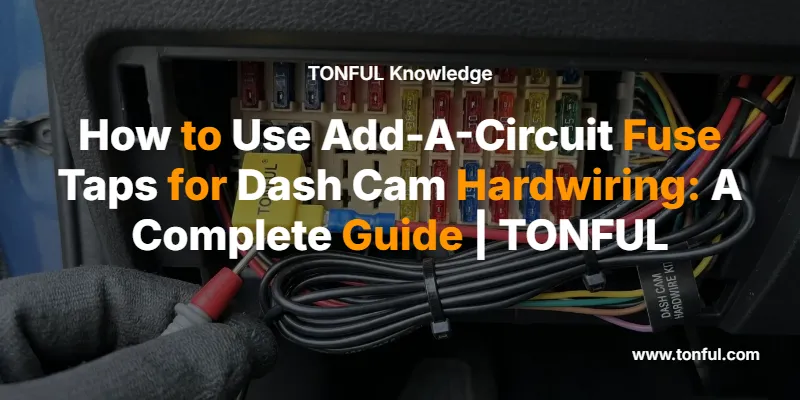
Installing a dash cam through hardwiring offers significant advantages over using your vehicle’s cigarette lighter socket: cleaner aesthetics, automatic power management, and the ability to enable parking mode surveillance. At the heart of professional dash cam installation lies a simple yet ingenious device—the add-a-circuit fuse tap. This comprehensive guide walks you through everything you need to know about using add-a-circuit fuse taps to safely and effectively hardwire your dash cam into your vehicle’s electrical system.
Understanding Add-A-Circuit Fuse Taps
An add-a-circuit fuse tap, also known as a fuse adapter or piggyback fuse holder, is a specialized electrical connector that allows you to expand your vehicle’s existing fuse box circuitry without cutting, splicing, or permanently modifying factory wiring. This elegant solution enables you to tap into an existing circuit while maintaining the original circuit’s protection and functionality.
The device works by replacing a single fuse in your fuse box with an adapter that holds two fuses: the original fuse that protects the existing circuit, and a new fuse that protects your added device—in this case, your dash cam. This dual-fuse design ensures that both the original vehicle circuit and your new accessory receive independent overcurrent protection, maintaining electrical safety standards throughout your vehicle’s system.
Modern add-a-circuit fuse taps come in several configurations to match the various blade fuse types used in contemporary vehicles. The most common types include standard ATO/ATC fuses, mini blade fuses (ATM), low-profile mini fuses (APM), and micro2/micro3 fuses. Understanding which type your vehicle uses is the first critical step in successful dash cam installation.

Types of Fuse Taps and Vehicle Compatibility
Selecting the correct fuse tap type is essential for proper fit and function. Vehicle manufacturers use different blade fuse sizes depending on the model year, make, and specific circuit requirements. Installing an incompatible fuse tap can result in poor electrical contact, intermittent operation, or inability to reinstall the fuse box cover.
Standard ATO/ATC Fuses represent the original blade fuse design introduced in the 1970s and remain common in many vehicles, particularly older models, commercial trucks, and some European vehicles. These fuses measure approximately 19mm in height and feature a distinctive rectangular shape with two parallel blade terminals. ATO fuses have an open element design, while ATC fuses feature a closed plastic housing, but both use identical dimensions and are functionally interchangeable.
Mini Blade Fuses (ATM) have become the most prevalent fuse type in modern passenger vehicles manufactured from the 1990s onward. Measuring approximately 16mm in height, mini fuses offer the same amperage ratings as standard fuses but in a more compact package that allows for denser fuse box layouts. Most contemporary cars, SUVs, and light trucks use mini blade fuses as their primary circuit protection.
Low-Profile Mini Fuses (APM) provide an even more compact solution, standing only about 11mm tall. These fuses are increasingly common in newer vehicles where space constraints in the dashboard area require maximum packaging efficiency. The reduced height allows manufacturers to design slimmer fuse boxes that fit into tighter spaces.
Micro2 and Micro3 Fuses represent the latest evolution in automotive fuse technology. Micro2 fuses feature two blade terminals and measure approximately 9mm in height, while Micro3 fuses incorporate three terminals for enhanced circuit protection in a similarly compact package. These ultra-small fuses appear primarily in modern vehicles with advanced electronics and space-critical applications.
To identify which fuse type your vehicle uses, consult your owner’s manual or visually inspect your fuse box. Remove a single fuse and compare its size and shape to reference images or bring it to an automotive parts store for identification. Many vehicles use multiple fuse types in different locations, so verify the specific type used in the fuse box where you plan to install your dash cam connection.
Essential Tools and Materials for Installation
Proper preparation significantly increases installation success and reduces the likelihood of errors or damage. Gather all necessary tools and materials before beginning the installation process.
Required Components:
- Add-a-circuit fuse tap matching your vehicle’s fuse type
- Appropriate fuses for your dash cam circuit (typically 2A to 5A)
- Dash cam hardwiring kit with power and ground wires
- Wire crimping tool or needle-nose pliers
- Circuit tester or digital multimeter
- Fuse puller or small pliers
- Zip ties for cable management
- Electrical tape or heat shrink tubing
Optional but Recommended:
- Panel removal tools to avoid damaging interior trim
- Wire routing tools for threading cables behind panels
- Label maker for documenting fuse assignments
- Flashlight or headlamp for working in dark fuse box areas
- Vehicle service manual for fuse box diagrams
The hardwiring kit typically includes three wires with different functions. The red wire connects to an accessory (ACC) circuit that provides power only when the ignition is in the ACC or ON position. The yellow wire connects to a constant power circuit that remains energized at all times, enabling parking mode functionality. The black wire serves as the ground connection, completing the electrical circuit. Some simplified kits may include only ACC power and ground connections if parking mode is not required.

Step-by-Step Installation Guide
Follow this systematic approach to ensure safe and reliable dash cam hardwiring using add-a-circuit fuse taps.
Step 1: Locate and Access the Fuse Box
Most vehicles contain multiple fuse boxes in different locations. The interior fuse box, typically located under the dashboard on the driver’s or passenger’s side, provides the most convenient access for dash cam installation. Some vehicles also have fuse boxes in the engine compartment, but these locations expose connections to more extreme temperatures and moisture, making them less ideal for dash cam applications.
Consult your vehicle’s owner’s manual to identify the precise fuse box location and access procedure. Many fuse boxes hide behind removable panels that may require releasing clips or removing screws. Take photos during disassembly to aid reassembly and avoid losing small fasteners.
Step 2: Identify Appropriate Fuse Circuits
Selecting the correct fuse circuits is critical for both functionality and safety. Your dash cam installation requires two different types of circuits: an accessory (ACC) circuit for automatic on/off operation with the ignition, and a constant power circuit for parking mode functionality.
Use a circuit tester or multimeter to identify circuit types. With the ignition key removed, test each fuse terminal. Fuses showing no voltage are either ACC circuits or non-functional. Turn the ignition to the ACC or ON position (without starting the engine) and retest. Fuses that now show voltage (typically 12V) are ACC circuits. Fuses showing voltage regardless of ignition position are constant power circuits.
Safe Circuit Selection Guidelines:
- Choose circuits rated between 10A and 30A to ensure adequate power capacity
- Avoid critical safety systems including airbags, ABS, stability control, and engine management
- Avoid essential comfort systems like HVAC, power windows, or power locks
- Ideal ACC circuits include radio, interior lights, or accessory power outlets
- Ideal constant power circuits include dome lights, radio memory, or clock circuits
Document your selected circuits by noting their fuse box position and function. This information proves valuable for future troubleshooting or if you need to remove the installation.
Step 3: Prepare the Fuse Tap Connections
Before installing the fuse tap into your vehicle, prepare the wire connections to ensure reliable electrical contact. The add-a-circuit fuse tap features a wire lead with a terminal that must be crimped onto your hardwiring kit cables.
Strip approximately 5-7mm of insulation from the end of your hardwiring kit wire. Insert the exposed wire into the crimp terminal on the fuse tap lead, ensuring the copper conductor fully enters the terminal barrel. Using a proper crimping tool or needle-nose pliers, compress the terminal firmly around the wire. A proper crimp should be mechanically strong enough that the wire cannot be pulled free with moderate force.
For additional reliability and weather resistance, slide a piece of heat shrink tubing over the connection before crimping, then apply heat to shrink the tubing after crimping. This provides strain relief and moisture protection. Alternatively, wrap the connection with several layers of electrical tape, ensuring complete coverage of exposed metal.
Repeat this process for both the ACC wire (red) and constant power wire (yellow) if your installation includes parking mode functionality. The ground wire (black) typically connects to a chassis ground point rather than through a fuse tap.

Step 4: Install the Fuse Taps
With connections prepared, you’re ready to install the fuse taps into your vehicle’s fuse box. This process requires careful attention to orientation and proper seating to ensure reliable operation.
Remove the original fuse from your selected ACC circuit using a fuse puller or small pliers. Examine the fuse to verify it’s intact and note its amperage rating. Insert this original fuse into the designated slot on your add-a-circuit fuse tap—this slot is typically marked or positioned to maintain the original circuit’s protection.
Install an appropriately rated fuse (typically 2A to 5A) into the second slot on the fuse tap. This fuse protects your dash cam circuit independently from the original vehicle circuit. Using a fuse rated too high defeats the purpose of overcurrent protection, while a fuse rated too low may blow unnecessarily during normal operation.
Critical Orientation Consideration: Add-a-circuit fuse taps must be installed in the correct orientation to ensure both circuits receive proper fuse protection. The fuse tap has two blade terminals—one receives power from the fuse box, while the other supplies power to the original circuit. If installed backward, power for your dash cam bypasses its protective fuse, creating a potential fire hazard.
The correct orientation typically positions the new circuit fuse (your dash cam fuse) on the side that receives power from the fuse box. Consult the fuse tap manufacturer’s instructions or test with a multimeter to verify proper installation. When correctly installed, removing the dash cam fuse should interrupt power to your dash cam while the original circuit continues functioning normally.
Insert the fuse tap into the fuse box slot, ensuring the blade terminals fully seat into the socket. The fuse tap should sit flush with surrounding fuses. If the fuse tap protrudes significantly or feels loose, verify you’ve selected the correct fuse tap type for your vehicle.
Repeat this process for the constant power circuit if installing parking mode functionality. Some installers prefer to use only ACC power for simplified installations that don’t require parking surveillance.
Step 5: Establish a Proper Ground Connection
The ground wire completes the electrical circuit and is equally important as the power connections. A poor ground connection causes erratic operation, voltage drops, and potential damage to your dash cam.
Locate a suitable ground point near the fuse box. Ideal ground points include unpainted metal bolts, screws, or dedicated ground studs that connect directly to the vehicle’s chassis. Avoid painted surfaces, plastic components, or areas that may flex or vibrate excessively.
If using an existing bolt or screw, loosen it sufficiently to slide the ground terminal underneath, then tighten securely. The ground terminal should make direct metal-to-metal contact with the chassis. If the bolt or screw has a painted head, use a wire brush or sandpaper to expose bare metal before making the connection.
Some vehicles provide dedicated ground points specifically intended for aftermarket accessories. These locations offer optimal grounding and are documented in service manuals or online installation guides for your specific vehicle model.
Step 6: Route and Conceal Wiring
Professional-looking installations require careful cable routing that keeps wires hidden from view while avoiding interference with vehicle operation. Begin at the dash cam mounting location and plan your cable path to the fuse box.
Most installations route cables along the headliner edge, down the A-pillar trim, and behind the dashboard to the fuse box. Use panel removal tools to carefully release trim pieces without breaking mounting clips. Tuck cables behind trim panels, using the existing wire routing channels where possible.
Important Safety Consideration: Never route cables where they might interfere with airbag deployment. Avoid placing cables in front of airbag modules or in areas where inflating airbags could be obstructed. When routing cables down the A-pillar, keep them behind the trim panel and away from the airbag curtain deployment zone.
Secure cables at regular intervals using zip ties attached to existing wire harnesses or mounting points. Avoid creating tight bends that stress the wires or connectors. Leave slight slack in the cable routing to accommodate normal vehicle movement and vibration without creating tension on connections.
At the fuse box area, coil excess cable length neatly and secure it with zip ties. Ensure cables don’t interfere with the fuse box cover reinstallation or other vehicle components.

Step 7: Test the Installation
Before buttoning up the installation and reinstalling trim panels, thoroughly test all functions to verify proper operation and identify any issues while troubleshooting remains easy.
Connect your dash cam to the hardwiring kit and verify it powers on. If the dash cam doesn’t activate, check all connections for proper seating and verify fuse orientation. Use a multimeter to test voltage at the dash cam connector—you should measure approximately 12V between the power and ground terminals.
Test the ACC functionality by turning the ignition key to the OFF position. The dash cam should power down within a few seconds (some models include a brief shutdown delay). Turn the ignition to ACC or ON, and the dash cam should power up automatically. This confirms proper connection to an ACC circuit.
If your installation includes parking mode, test the constant power connection by turning off the ignition and removing the key. The dash cam should remain powered or enter parking mode depending on its configuration. Verify that parking mode functions as intended according to your dash cam’s specifications.
Check for any warning lights on the vehicle’s instrument cluster that might indicate a problem with the circuits you’ve tapped. Start the engine and verify all original vehicle functions operate normally. Test the original circuits protected by the fuses you’ve tapped to ensure they continue working properly.
Monitor the dash cam for several minutes to ensure stable operation without flickering, unexpected shutdowns, or error messages. If you encounter any issues, refer to the troubleshooting section below.
Step 8: Final Assembly and Documentation
Once testing confirms proper operation, complete the installation by reinstalling all trim panels and securing loose cables. Verify the fuse box cover fits properly with the fuse taps installed—some fuse box covers may require minor trimming or may not close completely with fuse taps in place. If the cover cannot close, ensure cables are routed to minimize interference.
Document your installation by photographing the fuse tap locations and noting which circuits you used. Record the fuse ratings for both the original circuit and your dash cam circuit. This documentation proves invaluable for future troubleshooting, vehicle service, or if you need to remove the installation.
Create a small label or note indicating the fuse tap locations and their purpose. Some installers place a small sticker inside the fuse box cover noting “Dash Cam – Do Not Remove” to prevent accidental disconnection during future service.
Add-A-Circuit Fuse Tap Comparison
| Fuse Type | Dimensions (H×W) | Common Applications | Fuse Tap Availability | Installation Difficulty |
|---|---|---|---|---|
| Standard ATO/ATC | 19mm × 19mm | Older vehicles, commercial trucks, European cars | Widely available | Easy |
| Mini Blade (ATM) | 16mm × 16mm | Most 1990s-2020s passenger vehicles | Widely available | Easy |
| Low-Profile Mini (APM) | 11mm × 16mm | Newer compact vehicles, space-critical applications | Commonly available | Moderate |
| Micro2 (ATR) | 9mm × 15mm | Modern vehicles with advanced electronics | Less common | Moderate |
| Micro3 | 9mm × 15mm | Latest vehicles, enhanced protection circuits | Specialty item | Moderate |
Safety Considerations and Best Practices
Electrical work on vehicles requires attention to safety to prevent damage, injury, or fire hazards. Follow these critical safety guidelines throughout your installation.
Fuse Rating Selection: Always use fuses rated appropriately for the circuit and device being protected. Dash cams typically draw 0.3A to 1.5A during normal operation, making a 2A to 5A fuse appropriate for the dash cam circuit. Never install a fuse rated higher than the wire gauge can safely handle—most dash cam hardwiring kits use 18 AWG or 20 AWG wire, which safely handles up to 10A for short runs.
Circuit Selection: Avoid tapping into circuits that protect critical safety systems. The consequences of accidentally disrupting airbag, ABS, or engine management systems far outweigh any convenience gained. When in doubt, consult a professional installer or refer to detailed service information for your specific vehicle.
Orientation Matters: Installing a fuse tap backward creates a dangerous condition where your added device operates without fuse protection. Always verify proper orientation by testing with a multimeter or by temporarily removing the dash cam fuse to confirm it interrupts power to the dash cam while the original circuit continues operating.
Avoid Overloading Circuits: While dash cams draw minimal current, the original circuit you’re tapping into has a finite capacity. Tapping into a circuit already operating near its rated capacity increases the risk of nuisance fuse blowing. Select circuits with adequate headroom—if you’re tapping a 15A circuit, ensure the original load plus your dash cam doesn’t exceed 80% of the fuse rating (12A in this example).
Professional Installation: If you’re uncomfortable working with vehicle electrical systems, lack the necessary tools, or encounter difficulties during installation, seek professional assistance. Many car audio shops, automotive electricians, and dash cam retailers offer installation services at reasonable rates. The cost of professional installation is minimal compared to the potential expense of repairing electrical damage caused by improper DIY installation.
Troubleshooting Common Installation Issues
Even carefully executed installations occasionally encounter problems. These troubleshooting steps address the most common issues.
Dash Cam Won’t Power On:
- Verify fuse tap is fully seated in the fuse box socket
- Check that both fuses (original circuit and dash cam) are intact
- Test voltage at the dash cam connector with a multimeter
- Verify crimp connections are secure and making good electrical contact
- Confirm ground connection is attached to bare metal with a secure fastening
- Check for blown fuses in the hardwiring kit’s inline fuse holder if equipped
Dash Cam Powers On But Shuts Off Unexpectedly:
- Verify you’ve tapped an ACC circuit, not a circuit that loses power during cranking
- Check for loose connections that may be intermittently losing contact
- Ensure the ground connection is secure and not subject to vibration
- Verify the dash cam fuse rating is adequate for the device’s power draw
- Check for voltage drops under load using a multimeter
Dash Cam Doesn’t Turn Off With Ignition:
- Verify you’ve connected to an ACC circuit, not a constant power circuit
- Some vehicles have circuits that remain powered for a period after key removal
- Check your dash cam settings—some models have configurable power-off delays
- Test the fuse circuit with a multimeter to confirm it loses power with the ignition off
Original Vehicle Circuit Not Working:
- Verify the original fuse is properly installed in the fuse tap
- Check fuse tap orientation—incorrect installation may interrupt the original circuit
- Ensure the fuse tap is fully seated and making good contact
- Test the original fuse for continuity—it may have blown during installation
Parking Mode Not Functioning:
- Verify the constant power wire is connected to a circuit that remains energized with the ignition off
- Check your dash cam’s parking mode settings and activation requirements
- Ensure the dash cam’s battery protection settings aren’t triggering premature shutdown
- Verify adequate voltage at the constant power connection
Fuse Box Cover Won’t Close:
- Verify you’ve selected the correct fuse tap type for your vehicle’s fuse size
- Route wires to minimize interference with the cover
- Some fuse box covers may require minor trimming to accommodate fuse taps
- Consider using low-profile fuse taps if available for your fuse type
Advantages of Hardwiring vs. Cigarette Lighter Connection
Understanding the benefits of hardwired installation helps justify the additional effort compared to simple plug-in installation.
Automatic Operation: Hardwired dash cams power on and off automatically with the vehicle ignition, eliminating the need to remember to activate the camera. This ensures continuous recording coverage without user intervention, capturing critical footage that might be missed if you forget to turn on a manually operated camera.
Parking Mode Capability: Only hardwired installations can provide the constant power necessary for parking mode surveillance. This feature allows your dash cam to monitor your vehicle while parked, capturing incidents like hit-and-run accidents, vandalism, or parking lot collisions that occur when you’re away from the vehicle.
Cleaner Aesthetics: Hardwiring eliminates the unsightly cable running from the windshield to the center console, creating a factory-installed appearance. The absence of cables in the passenger compartment also reduces the risk of interference with vehicle operation or accidental disconnection.
Freed Accessory Outlets: Hardwiring your dash cam liberates your vehicle’s 12V outlets for other devices like phone chargers, portable vacuum cleaners, or tire inflators. In vehicles with limited accessory outlets, this represents a significant practical advantage.
Reduced Wear on Outlets: Constant use of cigarette lighter outlets for dash cam power causes wear on the socket contacts, potentially leading to intermittent connection or complete failure. Hardwiring eliminates this wear, preserving your accessory outlets for occasional use.
Lower Voltage Drop: Direct connection to the fuse box typically provides more stable voltage than cigarette lighter outlets, which may experience voltage drops due to contact resistance or long cable runs. Stable voltage ensures optimal dash cam performance and may extend the device’s service life.
Fuse Tap Installation in Different Vehicle Types
Different vehicle categories present unique considerations for fuse tap installation.
Passenger Cars and SUVs: Most modern passenger vehicles use mini blade fuses in easily accessible interior fuse boxes. These installations typically proceed straightforwardly following the standard procedure outlined above. Japanese and Korean vehicles often locate the interior fuse box on the driver’s side, while European and American vehicles may place it on either side.
Commercial Trucks and Heavy-Duty Vehicles: Commercial vehicles often use standard ATO/ATC fuses and may have multiple fuse boxes in various locations. These vehicles typically operate on 12V systems like passenger cars, but some heavy-duty trucks use 24V electrical systems requiring specialized dash cams and hardwiring kits rated for higher voltage. Always verify your vehicle’s electrical system voltage before purchasing equipment.
Hybrid and Electric Vehicles: Hybrid and electric vehicles present special considerations due to their complex electrical systems. These vehicles typically have conventional 12V accessory systems powered by a separate 12V battery, making standard dash cam installation possible. However, some circuits may behave differently than in conventional vehicles, and certain high-voltage systems must never be disturbed. When working on hybrid or electric vehicles, exercise extreme caution and consider professional installation if you’re unfamiliar with these systems.
Motorcycles and Powersports Vehicles: While this guide focuses primarily on automotive applications, similar principles apply to motorcycle dash cam installation. Motorcycles typically use mini blade fuses or even smaller fuse types, and their exposed electrical systems require additional weather protection. Motorcycle installations demand careful attention to vibration resistance and water intrusion prevention.
Maintaining Your Hardwired Dash Cam Installation
Proper maintenance ensures long-term reliability and optimal performance from your hardwired dash cam installation.
Periodic Inspection: Every few months, visually inspect visible portions of your installation for signs of wear, damage, or loosening connections. Check that zip ties remain secure and cables haven’t shifted position. Verify the dash cam continues operating normally with automatic power on/off functionality.
Fuse Verification: If your dash cam stops working, check both fuses in the add-a-circuit fuse tap as well as any inline fuses in the hardwiring kit. Keep spare fuses of the appropriate ratings in your vehicle for quick replacement if needed. Repeatedly blown fuses indicate an underlying problem that requires investigation—never simply install a higher-rated fuse to prevent blowing.
Connection Tightness: Vibration over time can loosen crimp connections and ground attachments. Annually, or if you notice intermittent operation, verify all connections remain tight and secure. Re-crimp or re-tighten as necessary to maintain reliable electrical contact.
Software Updates: Many modern dash cams receive firmware updates that improve functionality, fix bugs, or enhance features. Periodically check your dash cam manufacturer’s website for available updates and follow their installation procedures. Some updates may affect power management or parking mode behavior.
Memory Card Maintenance: While not directly related to the hardwiring installation, dash cam memory cards require periodic formatting to maintain optimal performance. Follow your dash cam manufacturer’s recommendations for memory card maintenance, typically involving formatting every 2-4 weeks. Always format cards using the dash cam’s built-in format function rather than a computer to ensure proper file system configuration.
Related Electrical Components and System Integration
Understanding how your hardwired dash cam integrates with other vehicle electrical systems helps ensure compatibility and optimal performance.
Fuse Box Design: Modern vehicles use sophisticated fuse box designs that may include traditional blade fuses, relay sockets, and even integrated control modules. Some fuse boxes feature “intelligent” power distribution that monitors current flow and can disconnect circuits if problems are detected. When selecting circuits for fuse tap installation, avoid any positions marked as “spare” or “not used” unless you verify they actually provide power—some spare positions have no wiring connected.
Battery Protection Systems: Many modern vehicles include battery management systems that monitor battery state of charge and may disconnect non-essential circuits if the battery becomes depleted. When using parking mode, ensure your dash cam includes built-in voltage monitoring that shuts down the camera before the vehicle battery becomes too depleted to start the engine. Most quality hardwiring kits include this protection, typically shutting down at 11.6V to 12.0V.
Circuit Protection Standards: Automotive blade fuses must meet specific standards including SAE J1284 and ISO 8820 that define their physical dimensions, electrical characteristics, and performance requirements. Quality fuse taps and automotive fuses from reputable manufacturers like TONFUL Electric ensure compliance with these standards, providing reliable protection for your vehicle’s electrical system.
Wiring Harness Integration: Your hardwired dash cam becomes part of your vehicle’s electrical system, sharing circuits with other devices. Understanding the total load on shared circuits helps prevent overloading. For example, if you tap into the radio circuit, consider that the radio, amplifier, and potentially other accessories share that circuit’s capacity.
Ground System: Vehicle electrical systems use the chassis as the negative return path, creating a “ground” reference. Multiple devices share common ground points, and poor ground connections can cause interference between systems. Establishing a solid ground connection for your dash cam prevents potential issues with other electronics and ensures stable operation.
Professional Installation vs. DIY: Making the Right Choice
Deciding whether to install your dash cam yourself or hire a professional depends on several factors.
DIY Installation Advantages:
- Cost savings of $50-$150 in installation fees
- Flexibility to work at your own pace
- Learning experience that builds automotive electrical skills
- Ability to customize cable routing to your preferences
- Immediate installation without scheduling appointments
Professional Installation Advantages:
- Guaranteed proper installation by experienced technicians
- Warranty coverage on installation workmanship
- Access to specialized tools and equipment
- Knowledge of vehicle-specific quirks and optimal routing
- Reduced risk of damage to vehicle electrical systems or interior trim
- Time savings for those with limited availability
When to Choose Professional Installation:
- You lack confidence working with vehicle electrical systems
- Your vehicle has complex electronics or is under warranty
- You’ve encountered difficulties during attempted DIY installation
- Your vehicle requires extensive trim removal for cable routing
- You’re installing multiple cameras or complex systems
- Time constraints make DIY installation impractical
Many automotive electrical specialists, car audio shops, and dash cam retailers offer installation services. Expect to pay $75-$200 for professional hardwiring installation depending on vehicle complexity and regional labor rates. Some retailers include free installation with dash cam purchase, making professional installation an attractive option.

Frequently Asked Questions
Q: Can I use an add-a-circuit fuse tap in any fuse slot?
A: While add-a-circuit fuse taps physically fit any slot of the correct fuse type, you should only use them in appropriate circuits. Avoid critical safety systems (airbags, ABS, stability control), essential vehicle functions (engine management, fuel pump), and circuits already operating near capacity. Select circuits rated 10A-30A that control non-essential accessories like radio, interior lights, or power outlets.
Q: What amperage fuse should I use for my dash cam circuit?
A: Most dash cams draw between 0.3A and 1.5A during normal operation. A 2A to 5A fuse provides adequate protection for typical dash cam installations. Using a 5A fuse offers a safety margin for startup current surges while still providing meaningful overcurrent protection. Never use a fuse rated higher than 10A for a dash cam circuit, as this defeats the purpose of circuit protection.
Q: Will hardwiring my dash cam drain my vehicle battery?
A: When properly installed with appropriate voltage monitoring, hardwired dash cams should not drain your battery to the point of preventing engine starting. Quality hardwiring kits include voltage cutoff features that shut down the dash cam when battery voltage drops to approximately 11.6V-12.0V, preserving sufficient charge for starting. If you only use ACC power without parking mode, the dash cam draws no power when the vehicle is off, eliminating any battery drain concern.
Q: Can I install multiple dash cams using add-a-circuit fuse taps?
A: Yes, you can install multiple dash cams (front and rear, for example) using separate add-a-circuit fuse taps for each camera. Alternatively, you can power multiple cameras from a single fuse tap if the combined current draw remains within safe limits and the wiring is properly designed. Ensure the fuse rating and wire gauge can handle the total load of all connected devices.
Q: What if my fuse box cover won’t close with the fuse tap installed?
A: Some vehicles have tight fuse box covers that don’t accommodate fuse taps easily. Solutions include: routing wires to minimize interference, using low-profile fuse taps if available for your fuse type, carefully trimming the fuse box cover (only if comfortable doing so), or leaving the cover slightly ajar. Some installers secure partially closed covers with zip ties. If the cover cannot close at all, verify you’re using the correct fuse tap type for your vehicle.
Q: Is it safe to tap into a circuit that’s already in use?
A: Yes, this is exactly how add-a-circuit fuse taps are designed to work. The original circuit maintains its fuse protection and functionality while your dash cam receives independent protection through its own fuse. However, ensure the original circuit has adequate capacity for both loads. For example, tapping a 15A circuit that normally draws 10A leaves only 5A available, which is adequate for a dash cam but wouldn’t support higher-draw accessories.
Q: Do I need special fuse taps for 24V vehicles?
A: Standard add-a-circuit fuse taps work with both 12V and 24V systems, as they’re simply mechanical connectors that don’t have voltage-specific components. However, you must ensure your dash cam and hardwiring kit are rated for 24V operation. Most consumer dash cams are designed for 12V systems, so commercial truck applications may require specialized equipment rated for 24V operation.
Conclusion: Professional Results Through Proper Installation
Add-a-circuit fuse taps represent an elegant solution for hardwiring dash cams and other accessories into vehicle electrical systems without permanent modifications or safety compromises. By following the systematic approach outlined in this guide, you can achieve professional-quality installation results that provide reliable operation, clean aesthetics, and full functionality including parking mode surveillance.
The key to successful installation lies in careful planning, proper component selection, and attention to detail throughout the process. Taking time to identify appropriate circuits, verify correct fuse tap orientation, establish solid ground connections, and route cables professionally ensures your installation will provide years of trouble-free service.
Whether you choose to tackle the installation yourself or engage professional services, understanding the principles and procedures involved helps you make informed decisions and recognize quality workmanship. The investment in proper hardwiring pays dividends through enhanced functionality, improved aesthetics, and the peace of mind that comes from knowing your dash cam will reliably capture critical footage whenever needed.
For quality electrical components including blade fuses, automotive connectors, and professional-grade electrical tools, consider TONFUL Electric’s comprehensive range of products designed for reliable automotive electrical installations. With proper components and careful installation, your hardwired dash cam will serve as a silent guardian, documenting your journeys and protecting your interests for years to come.